

WSIB Innovation Lab

Asset tracker

The Workplace Safety and Insurance Board (WSIB) supports Ontario’s occupational health and safety system by providing no-fault insurance, employer safety guidance, and benefits and return-to-work support for injured workers. The Innovation Lab is a specialized unit within WSIB that identifies cross-departmental problems and researches and builds proof-of-concept solutions.

Problem

Hundreds of company devices were tracked manually in Google Sheets, making asset management super tedious and error prone.

Solution

A dedicated asset tracker with a centralized system built specifically for managing company equipment.

Problem

Hundreds of company devices were tracked manually in Google Sheets, making asset management super tedious and error prone.

Solution

A dedicated asset tracker with a centralized system built specifically for managing company equipment.

Role

UX/UI design intern

Team

4 designers

Timeline

May - Aug '24
User research

Building on research and designs from a previous cohort, we interviewed three leads across teams as the asset tracker expanded from the innovation lab to be used by the entire organization, combining new insights with existing findings to surface core pain points in the asset tracking process and shape the product direction.

01

Long and tedious process inputting information by hand in a sheet

02

Tracking and managing changes in devices was difficult

03

Extremely prone to human error

User research

Building on research and designs from a previous cohort, we interviewed three leads across teams as the asset tracker expanded from the innovation lab to be used by the entire organization, combining new insights with existing findings to surface core pain points in the asset tracking process and shape the product direction.

01

Long and tedious process inputting information by hand in a sheet

02

Tracking and managing changes in devices was difficult

03

Extremely prone to human error

Directories

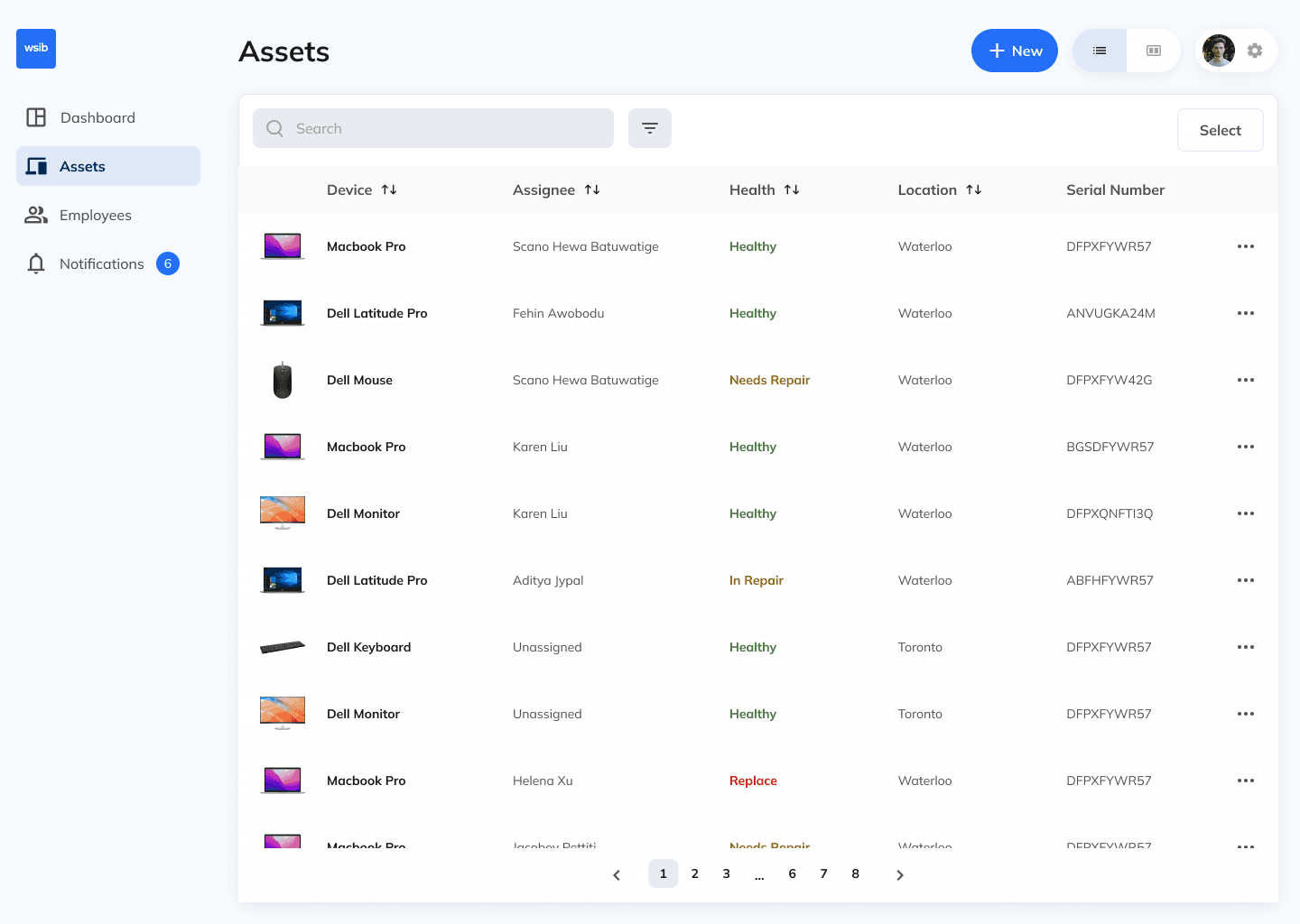
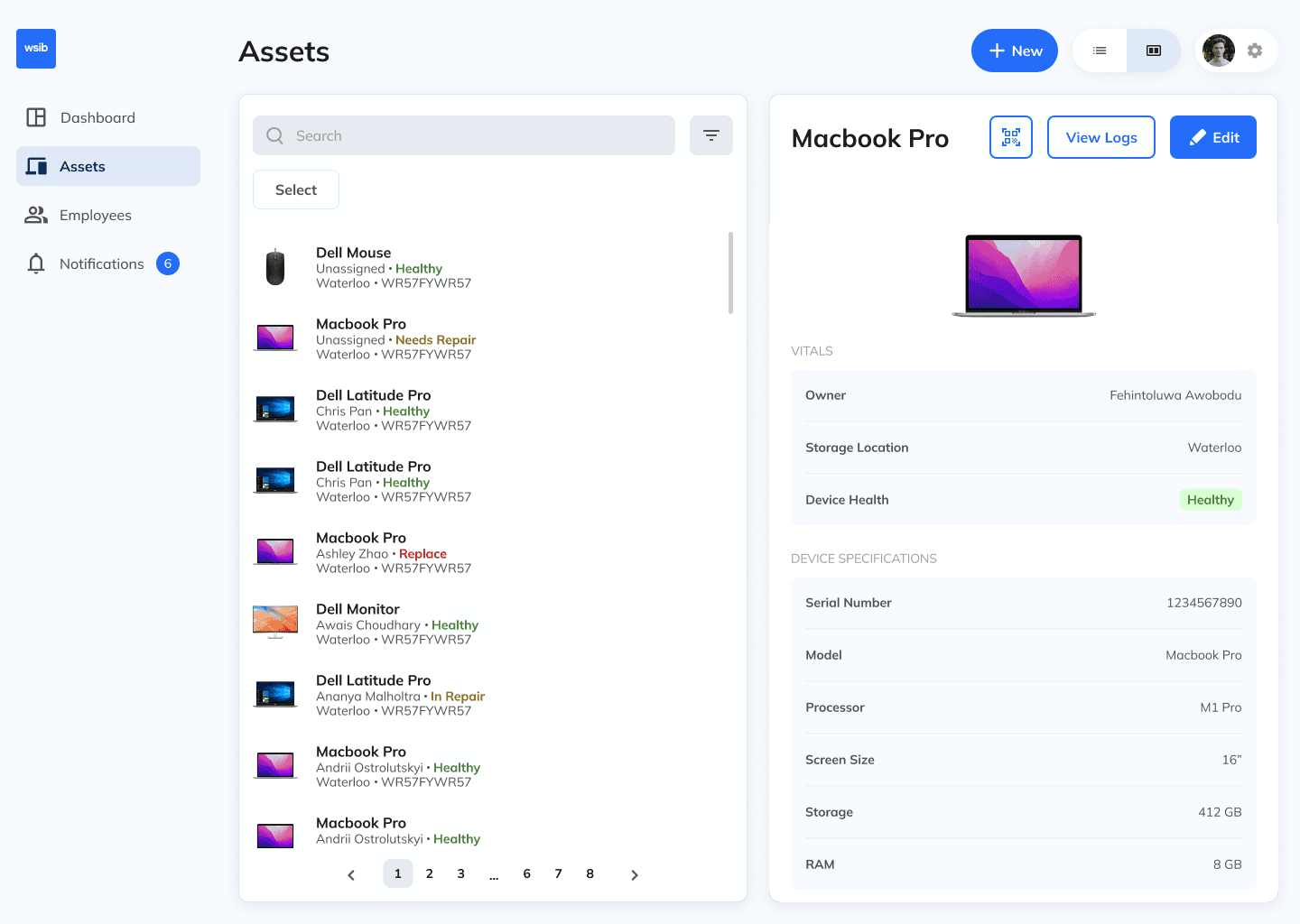
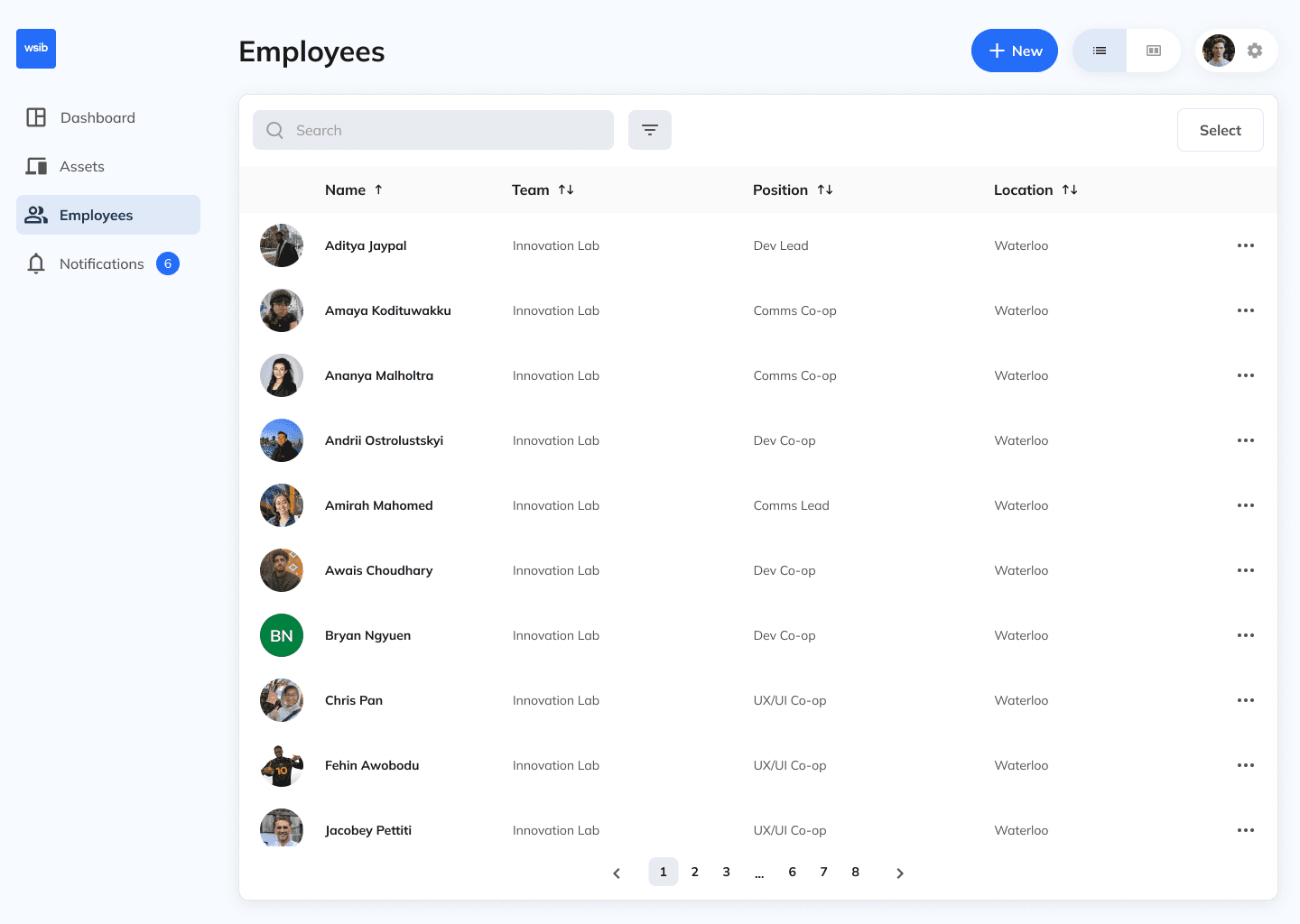
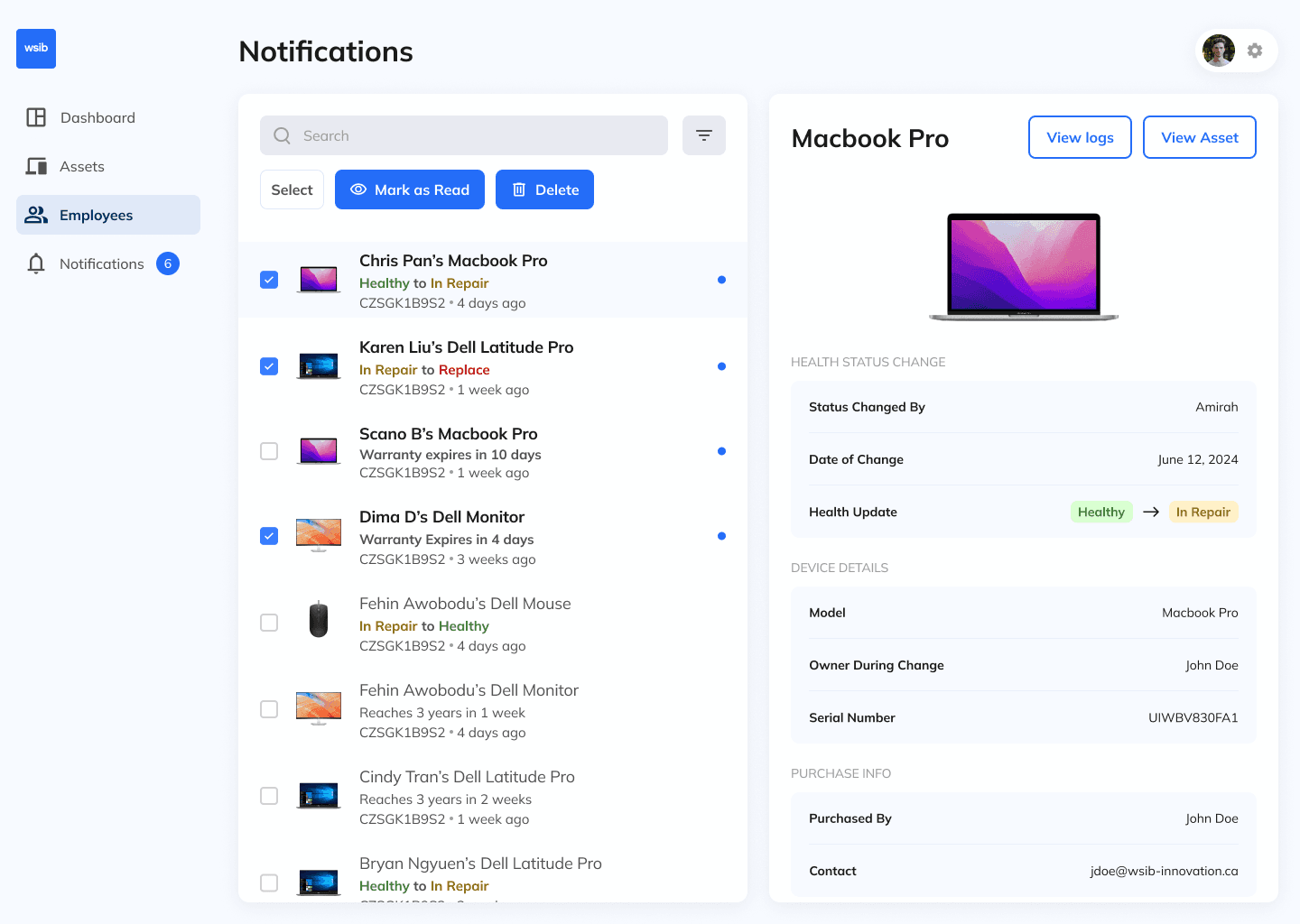
Separated by tabs in the navigation, managers can easily search, sort, and filter company assets and employees, supported by descriptive visuals such as profile photos or asset images.

Directories

Separated by tabs in the navigation, managers can easily search, sort, and filter company assets and employees, supported by descriptive visuals such as profile photos or asset images.

Asset profiles

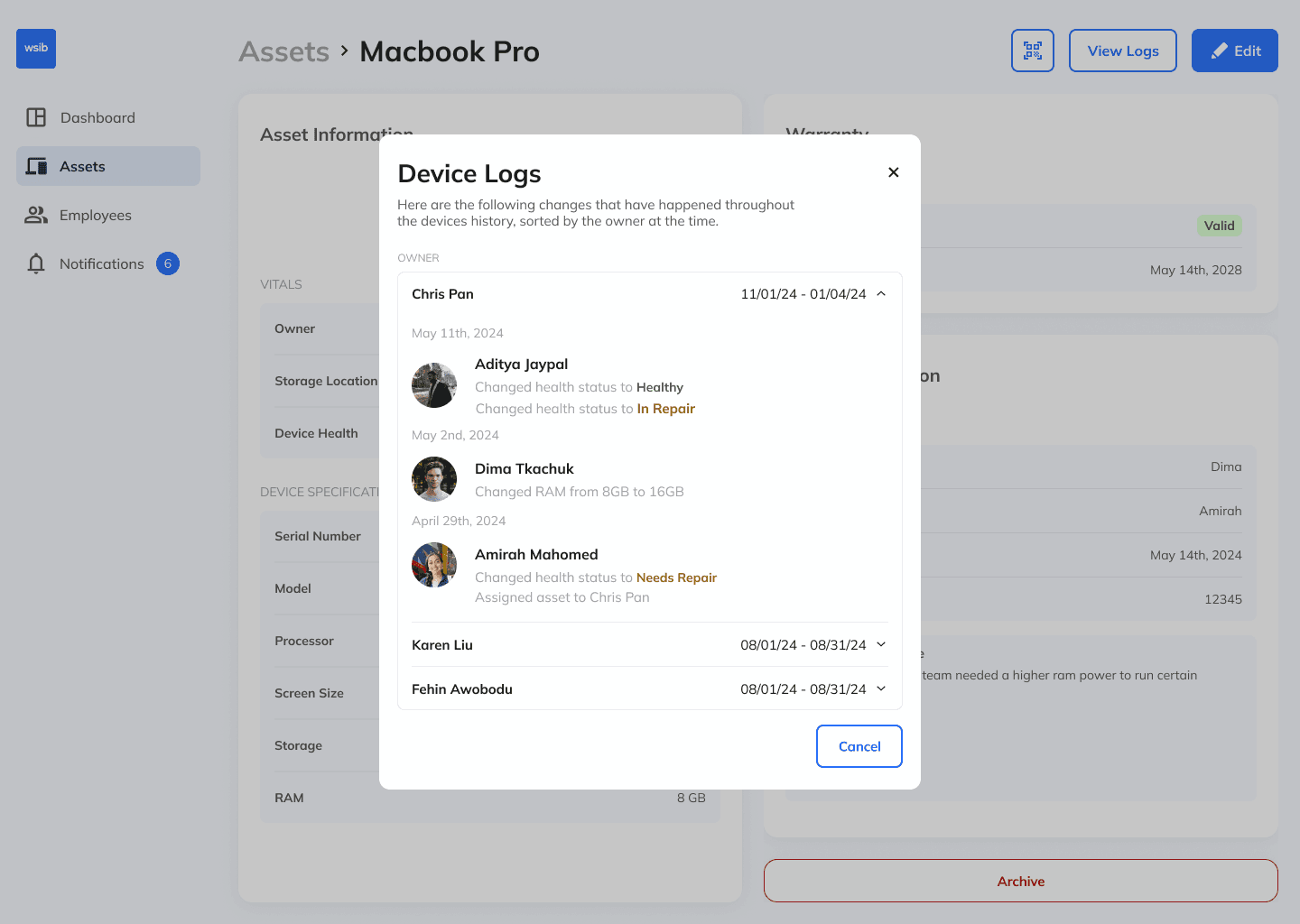
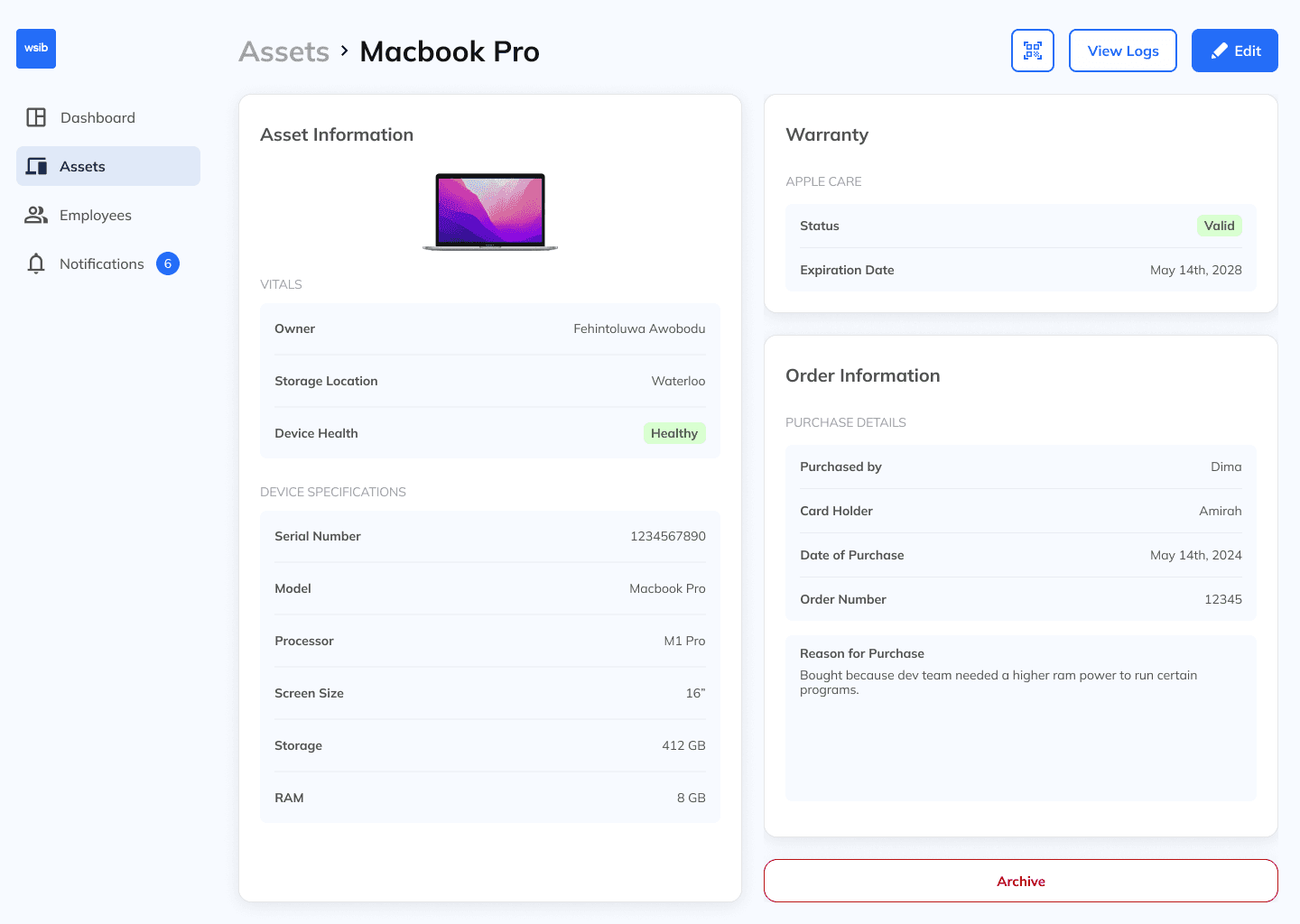
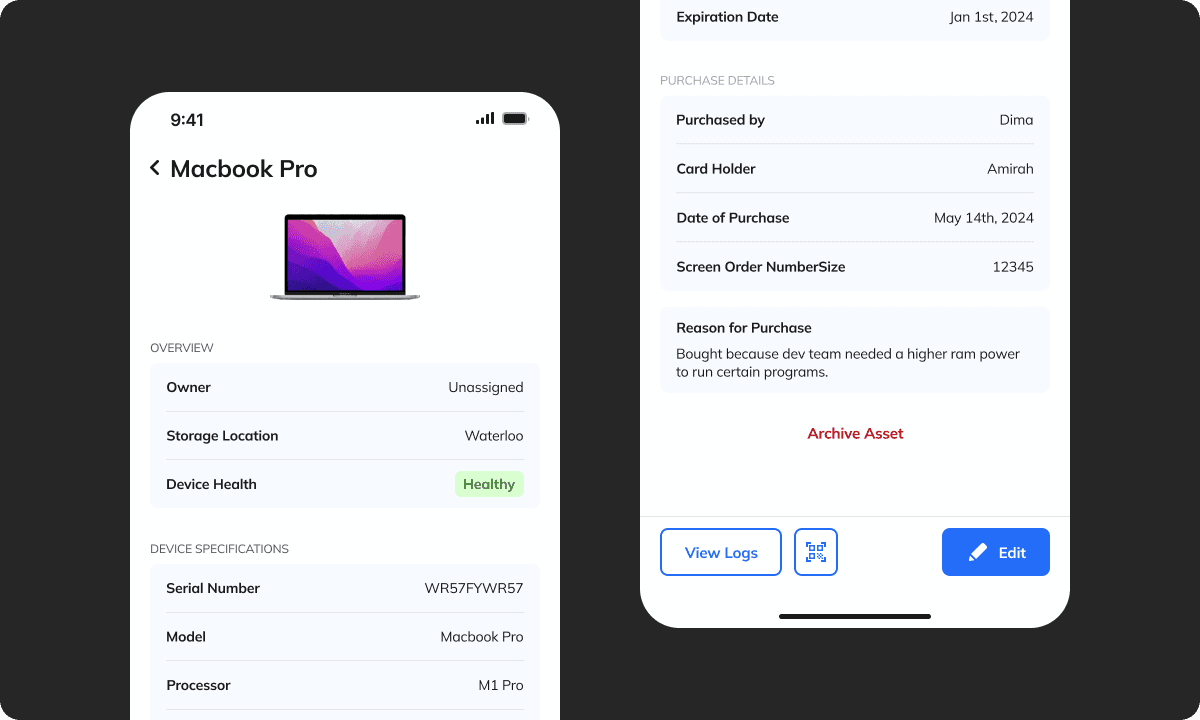
Each asset is assigned a unique, generated QR code that can be attached physically and scanned to batch move or edit multiple items at once. Every asset also has a dedicated profile containing detailed information and a log of all changes.

Asset profiles

Each asset is assigned a unique, generated QR code that can be attached physically and scanned to batch move or edit multiple items at once. Every asset also has a dedicated profile containing detailed information and a log of all changes.

Adding items

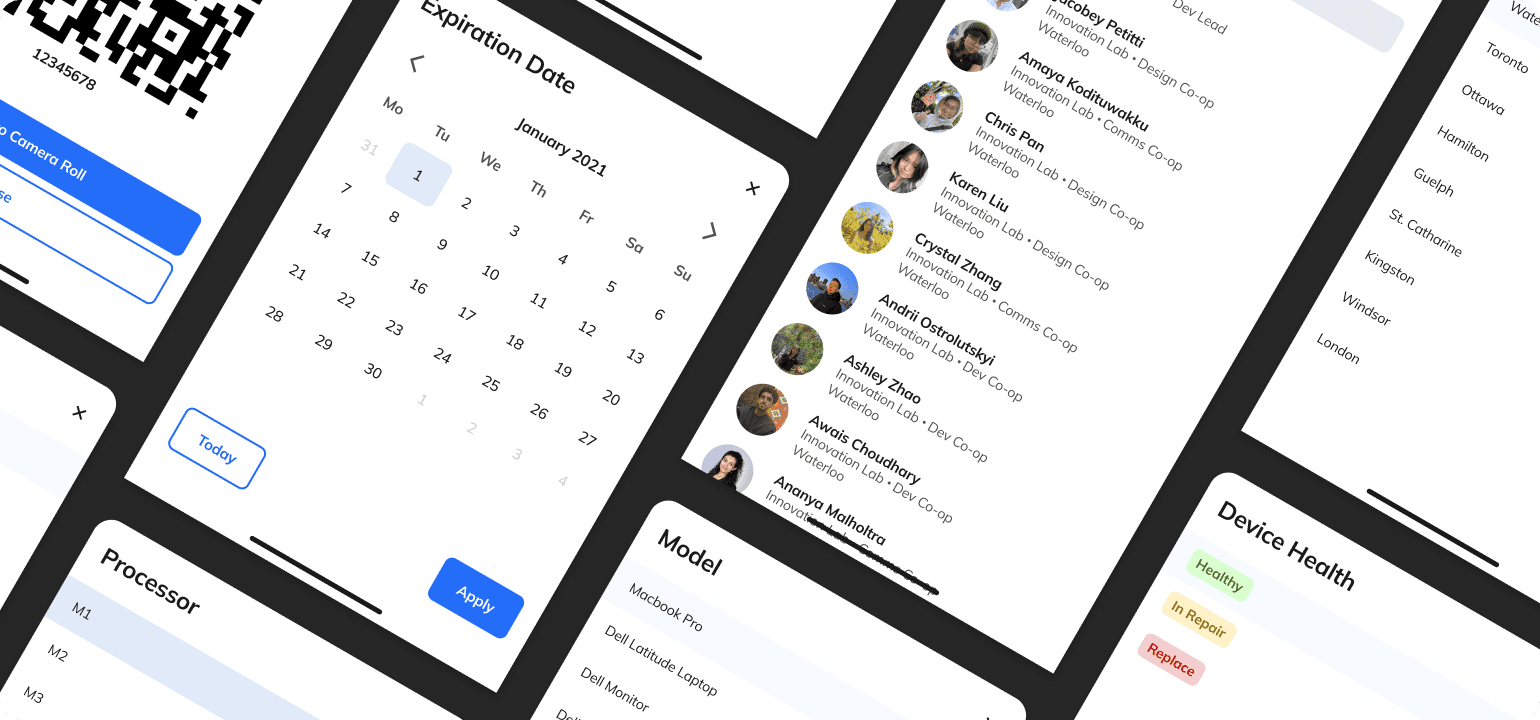
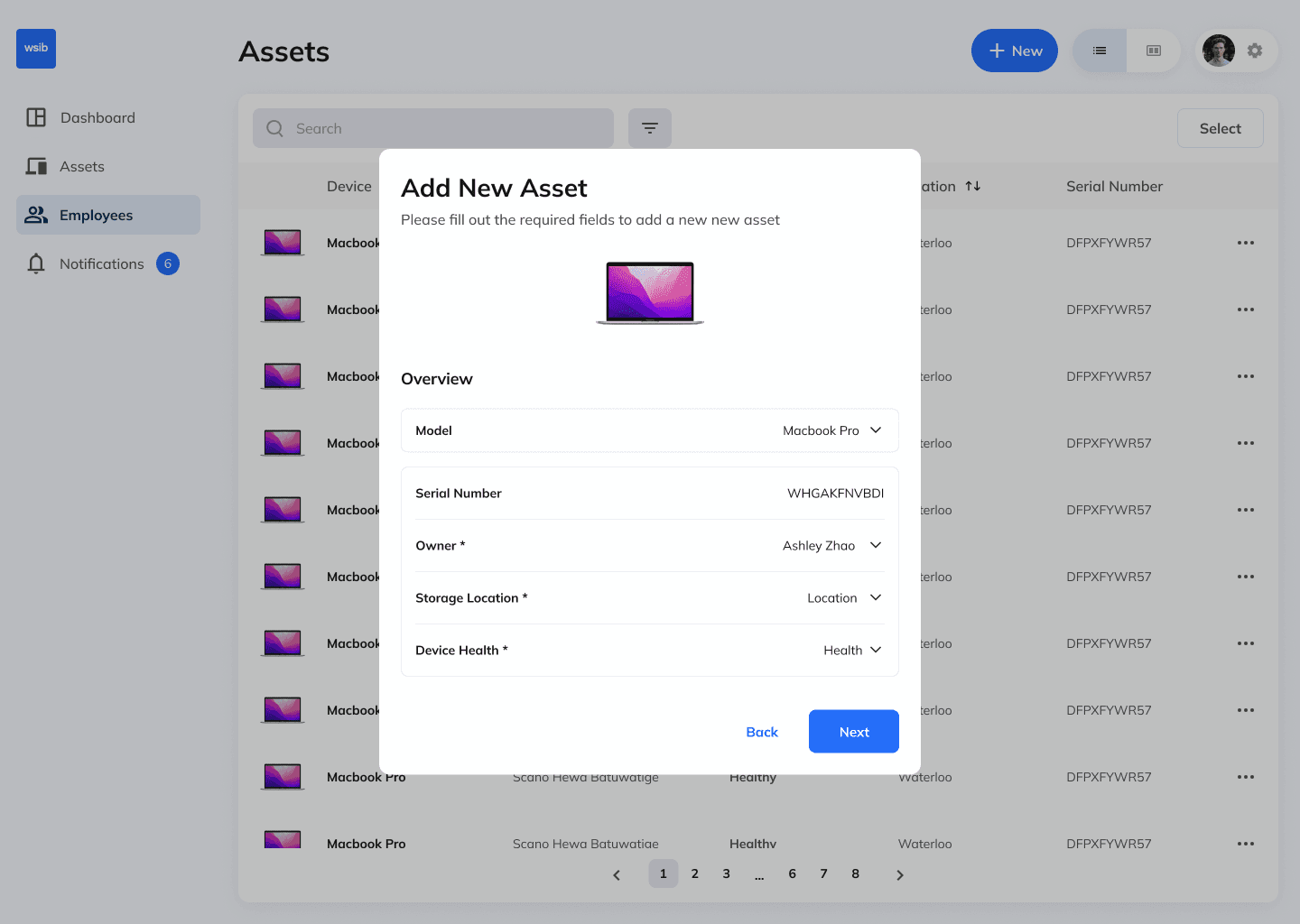
The add-item flow is broken into clear, digestible steps, with systemized input cards for consistency and simplicity. All input and selection controls, such as dropdowns, date pickers, and filters, are built using a shared component.

Adding items

The add-item flow is broken into clear, digestible steps, with systemized input cards for consistency and simplicity. All input and selection controls, such as dropdowns, date pickers, and filters, are built using a shared component.

User profiles

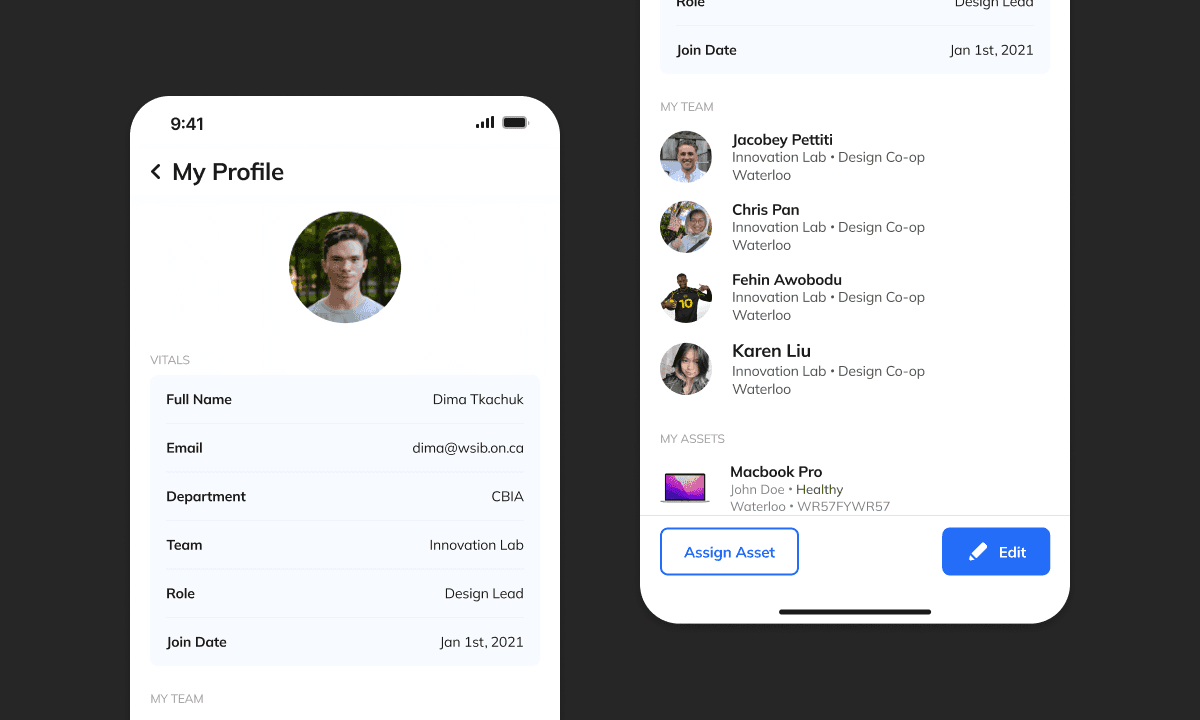
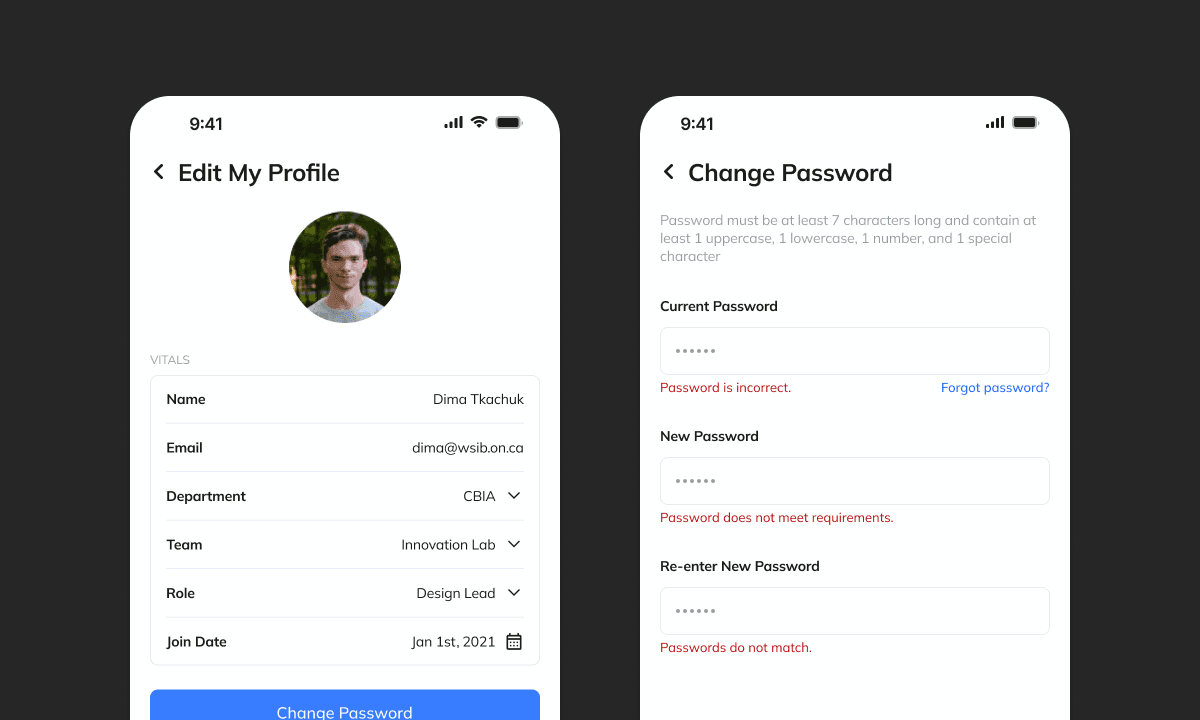
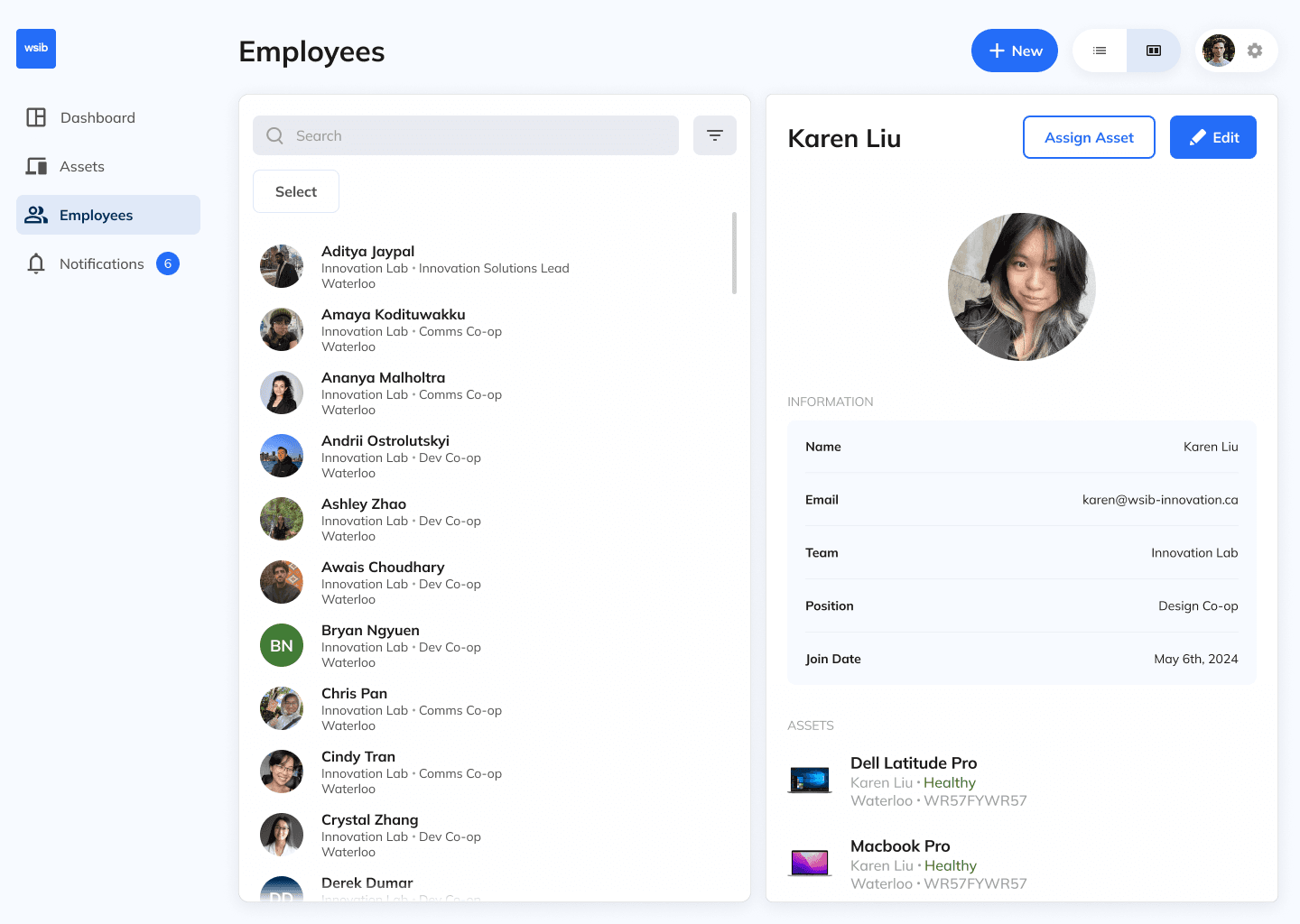
Each employee has a dedicated profile detailing their assigned assets, team, and other key information.

User profiles

Each employee has a dedicated profile detailing their assigned assets, team, and other key information.

Desktop

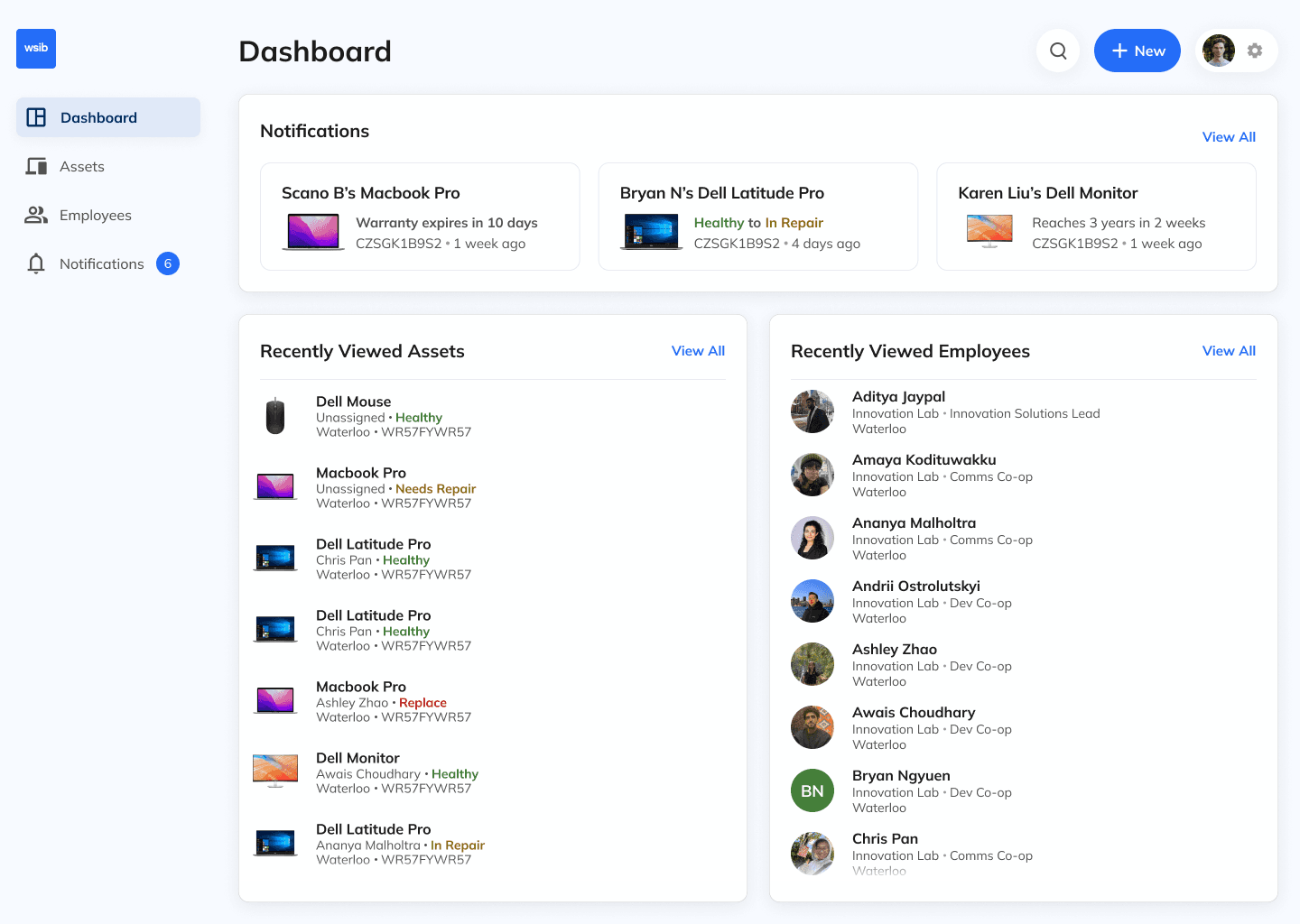
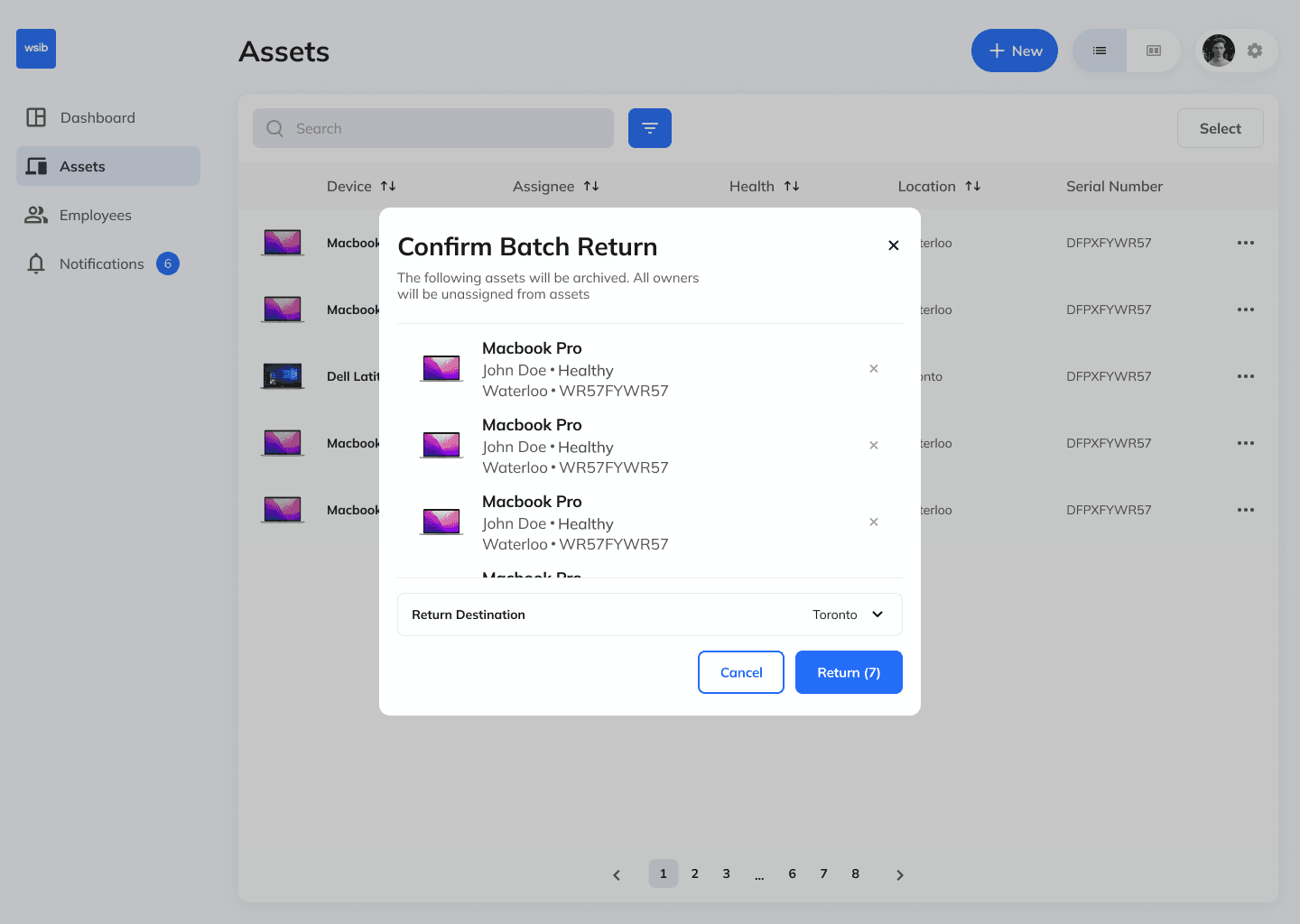
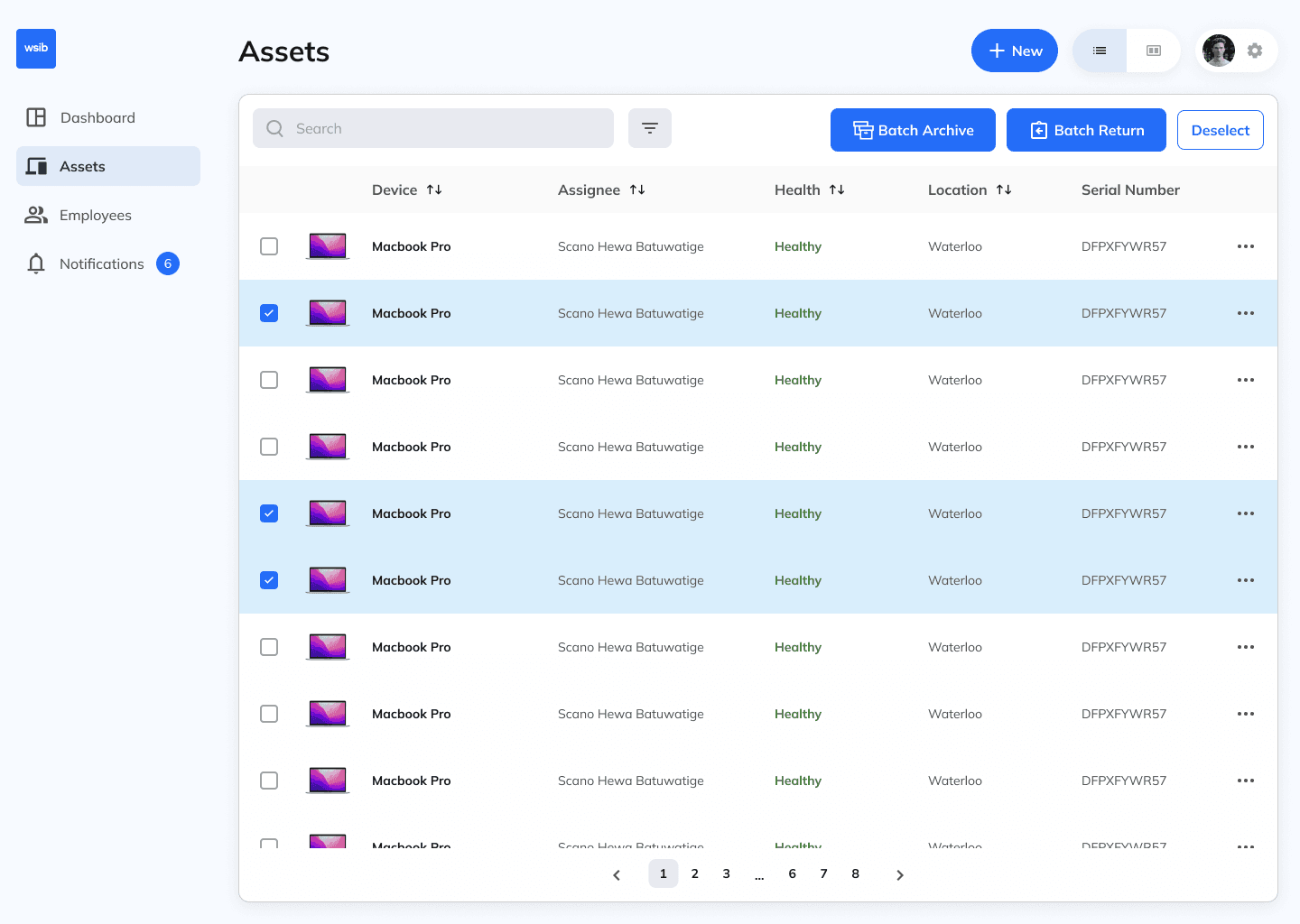
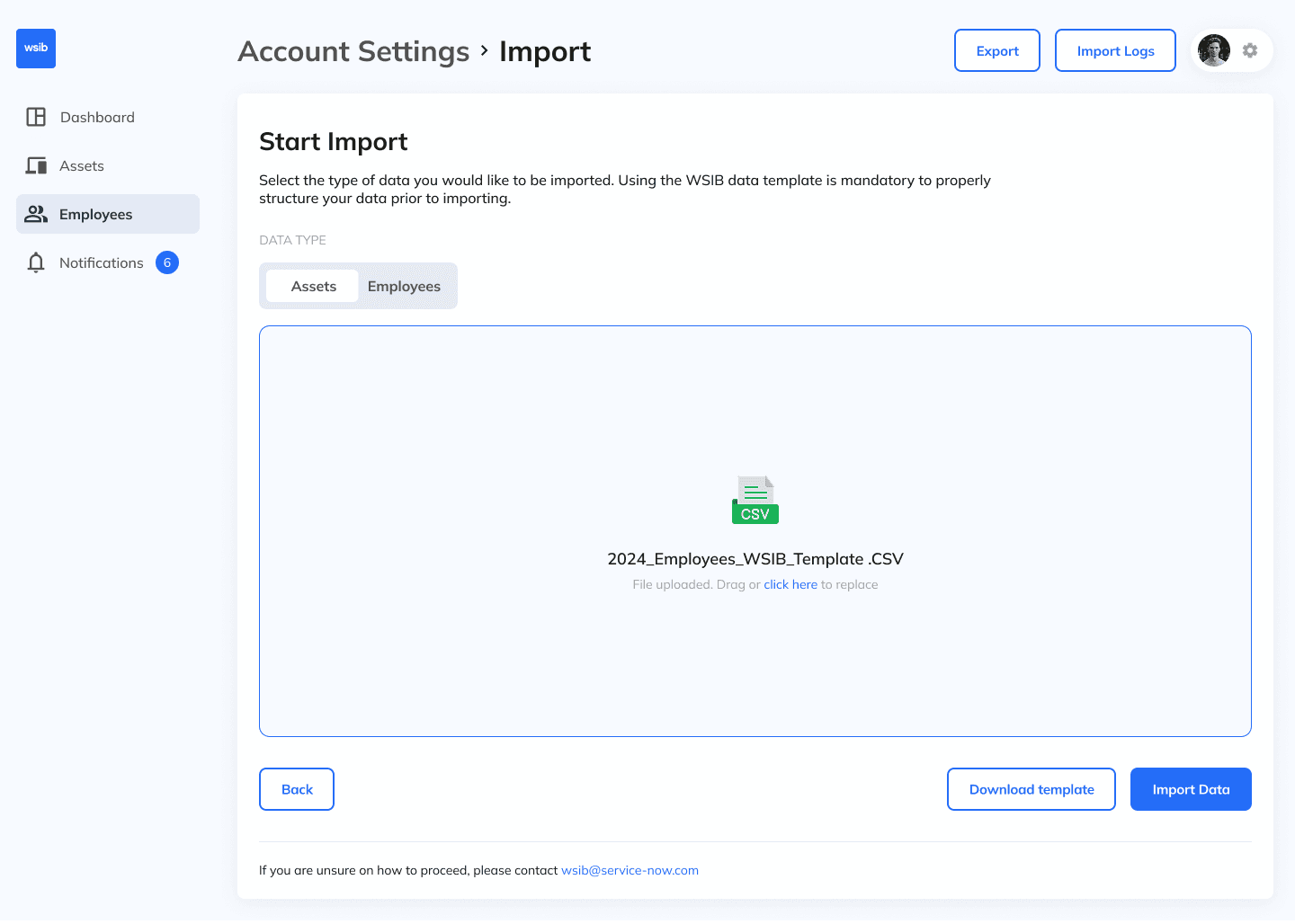
We designed complementary mobile and desktop experiences, with mobile focused on camera access and batch scanning, and desktop enabling bulk import, export, and advanced selection.

Desktop

We designed complementary mobile and desktop experiences, with mobile focused on camera access and batch scanning, and desktop enabling bulk import, export, and advanced selection.

Testing

We tested some prototypes asynchronously with 12 participants on Maze, to validate understanding before finalizing designs. Analyzing miss-clicks, heat-maps, and written feedback, we came to some conclusions.

Confusing batch scanning

Participants didn't understand how or where to access the assets they have batch scanned.

Poor information architecture

Users didn't know where important CTA's lied throughout the product, as nothing really stood out.

Different inputs

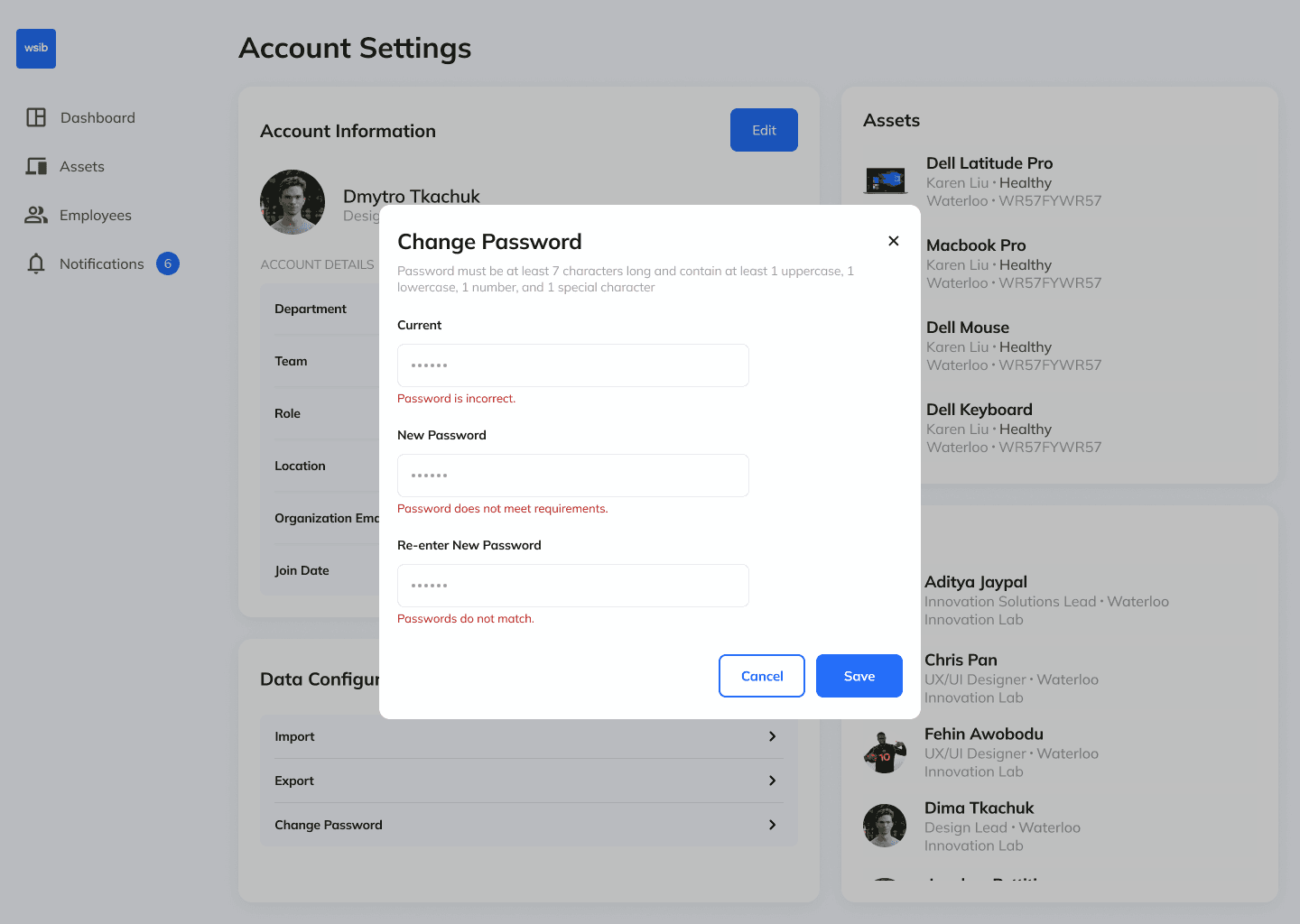
Actions relied on multiple, inconsistent input components, making the interface clunky and harder for users to adapt.

Testing

We tested some prototypes asynchronously with 12 participants on Maze, to validate understanding before finalizing designs. Analyzing miss-clicks, heat-maps, and written feedback, we came to some conclusions.

Confusing batch scanning

Participants didn't understand how or where to access the assets they have batch scanned.

Poor information architecture

Users didn't know where important CTA's lied throughout the product, as nothing really stood out.

Different inputs

Actions relied on multiple, inconsistent input components, making the interface clunky and harder for users to adapt.

Exploration and iteration

To land on our final designs, we went through multiple iterations and ideas. Check out some before-and-after's of the old designs vs. new ones.

Exploration and iteration

To land on our final designs, we went through multiple iterations and ideas. Check out some before-and-after's of the old designs vs. new ones.

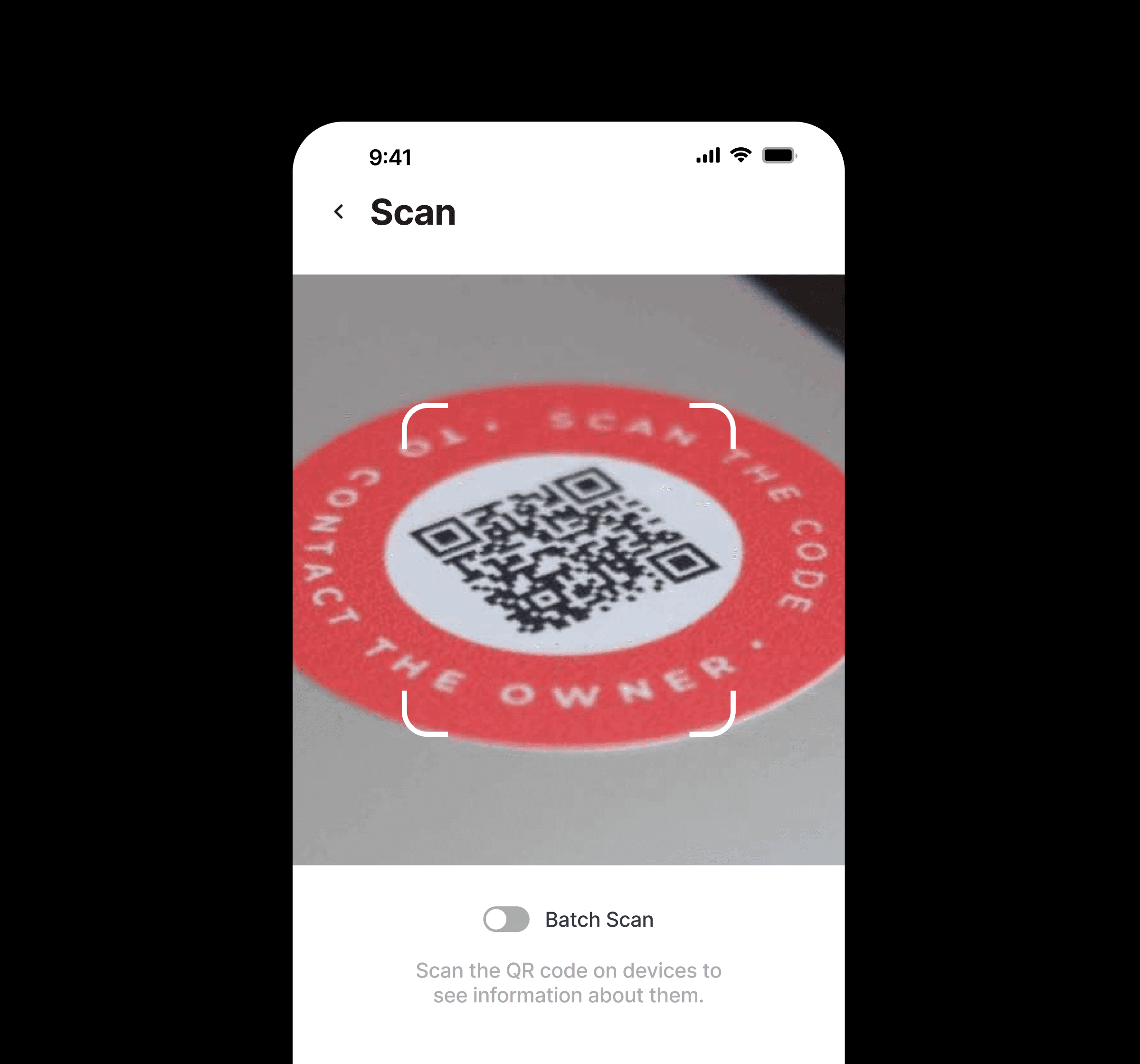
Before

The small viewport made scanning feel tight and uncomfortable, and users had to toggle between single-item and batch scanning.
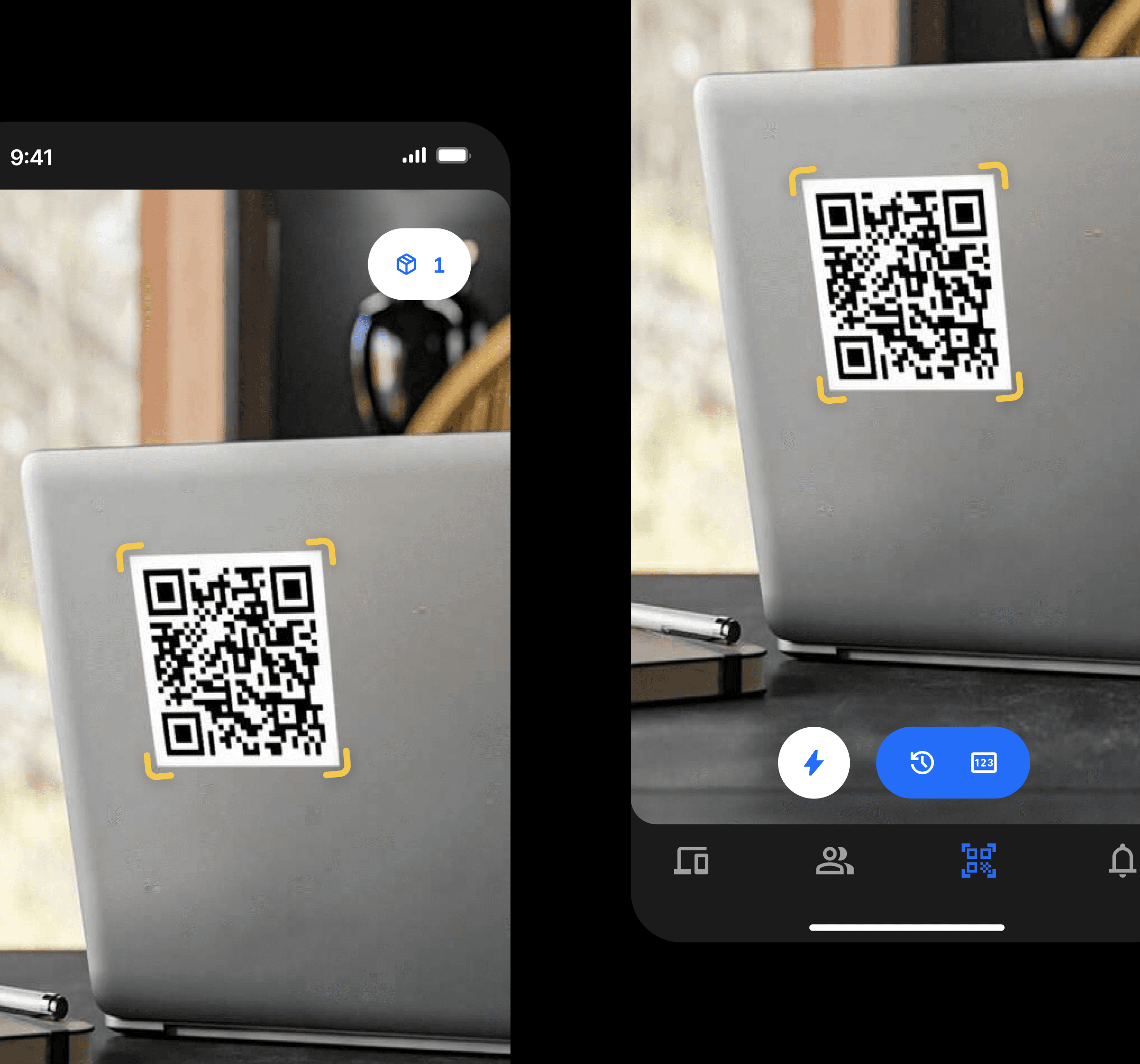
After

The design now supports multiple scans automatically without toggling, leveraging a familiar shopping cart experience. The camera view takes up more of the screen, creating an immersive and easier scanning experience, with quality-of-life improvements like flashlight access and recent scans.
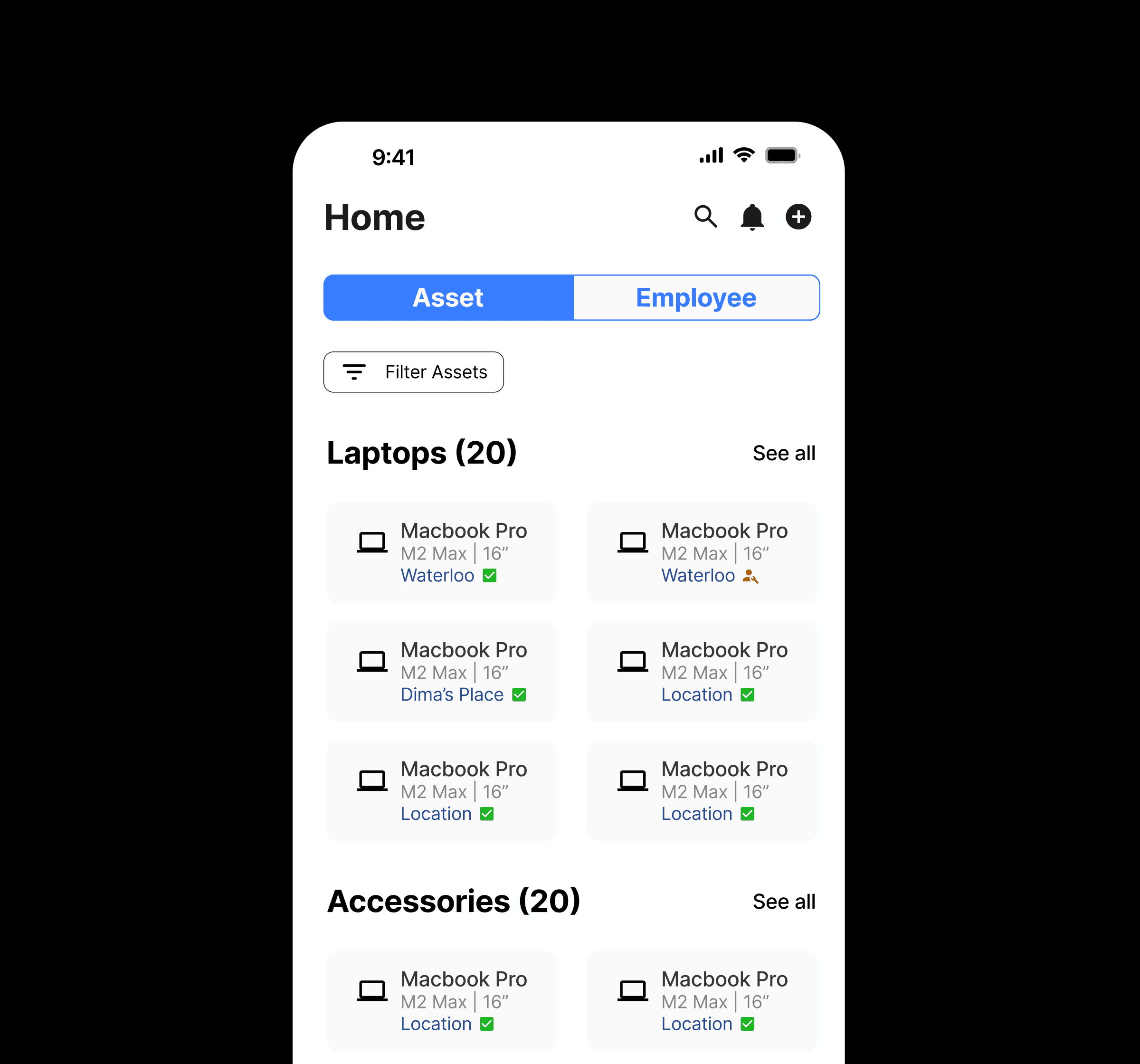
Before

Assets were initially displayed in pre-filtered groups within a multi-column view, making navigation difficult. Search functions were separated, and important actions were tucked away in the right-left corner.
After

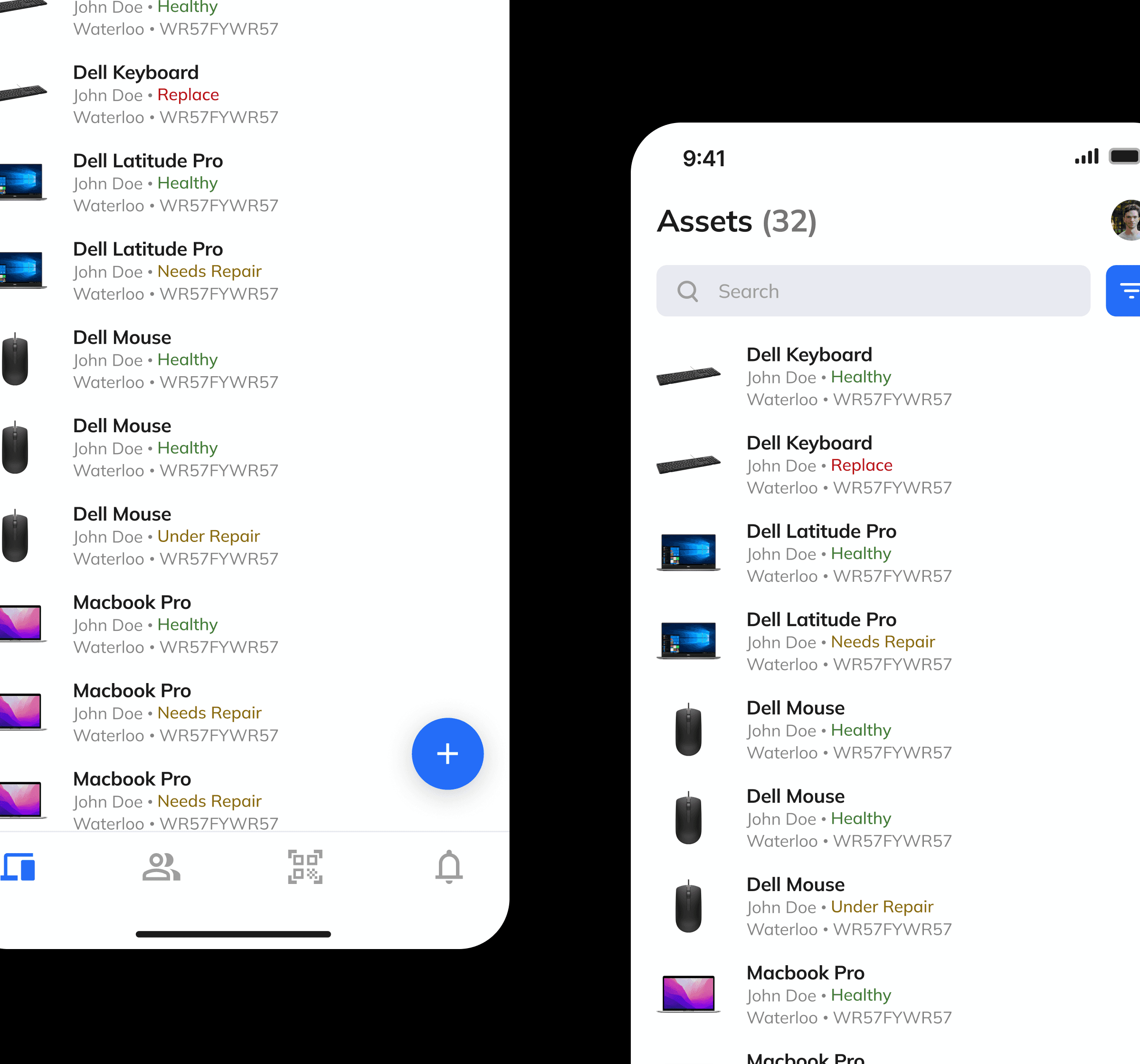
Assets are now shown in a visual list, making them easier to scan and automatically sorted alphabetically. Search functions are grouped for better discoverability, the add-item button is more prominent, and notifications have been moved to the tab view for a cleaner, more intuitive experience.
Before

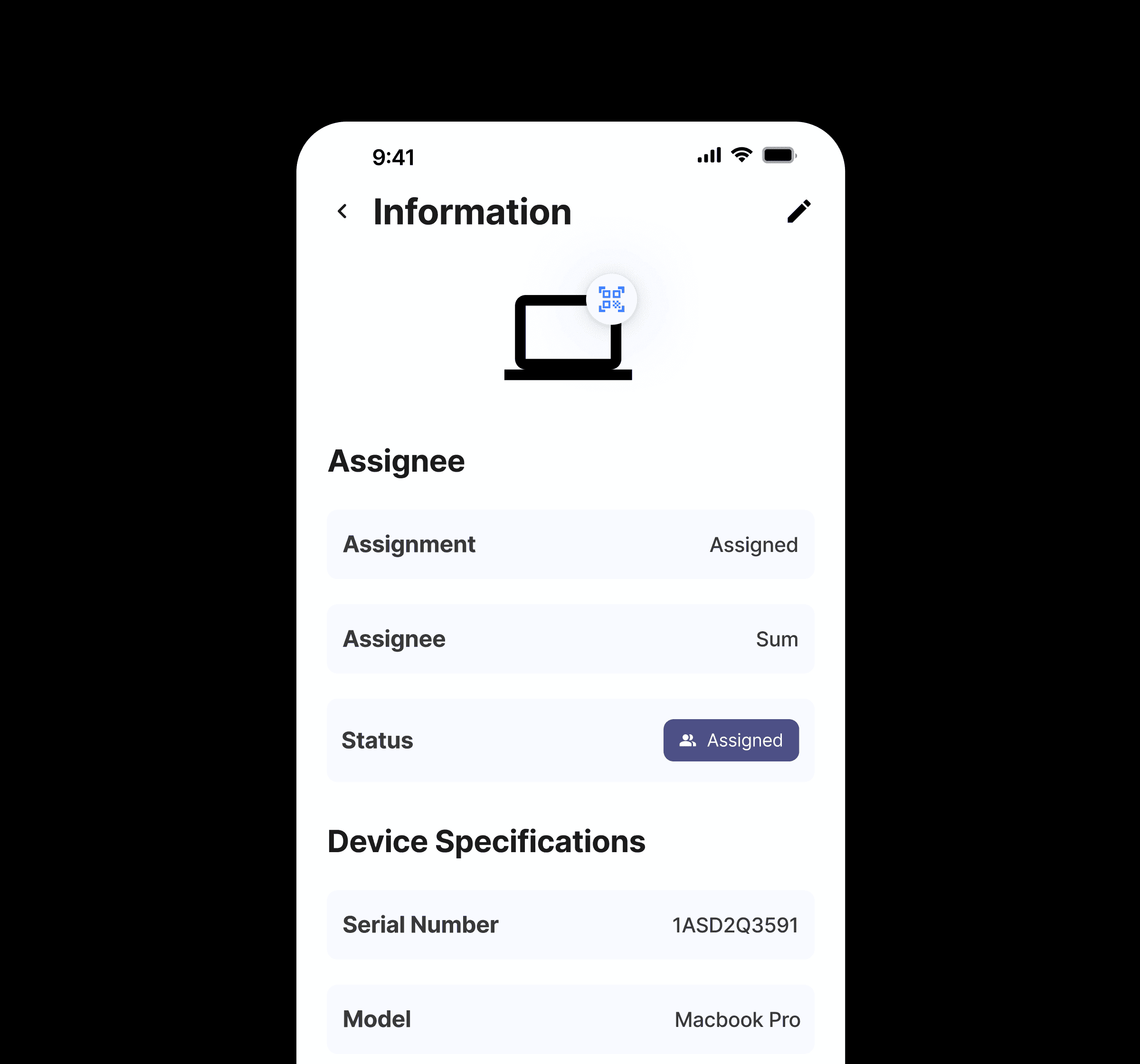
Asset profiles used a generic icon for all items, and the most common actions were placed in hard-to-reach locations.
After

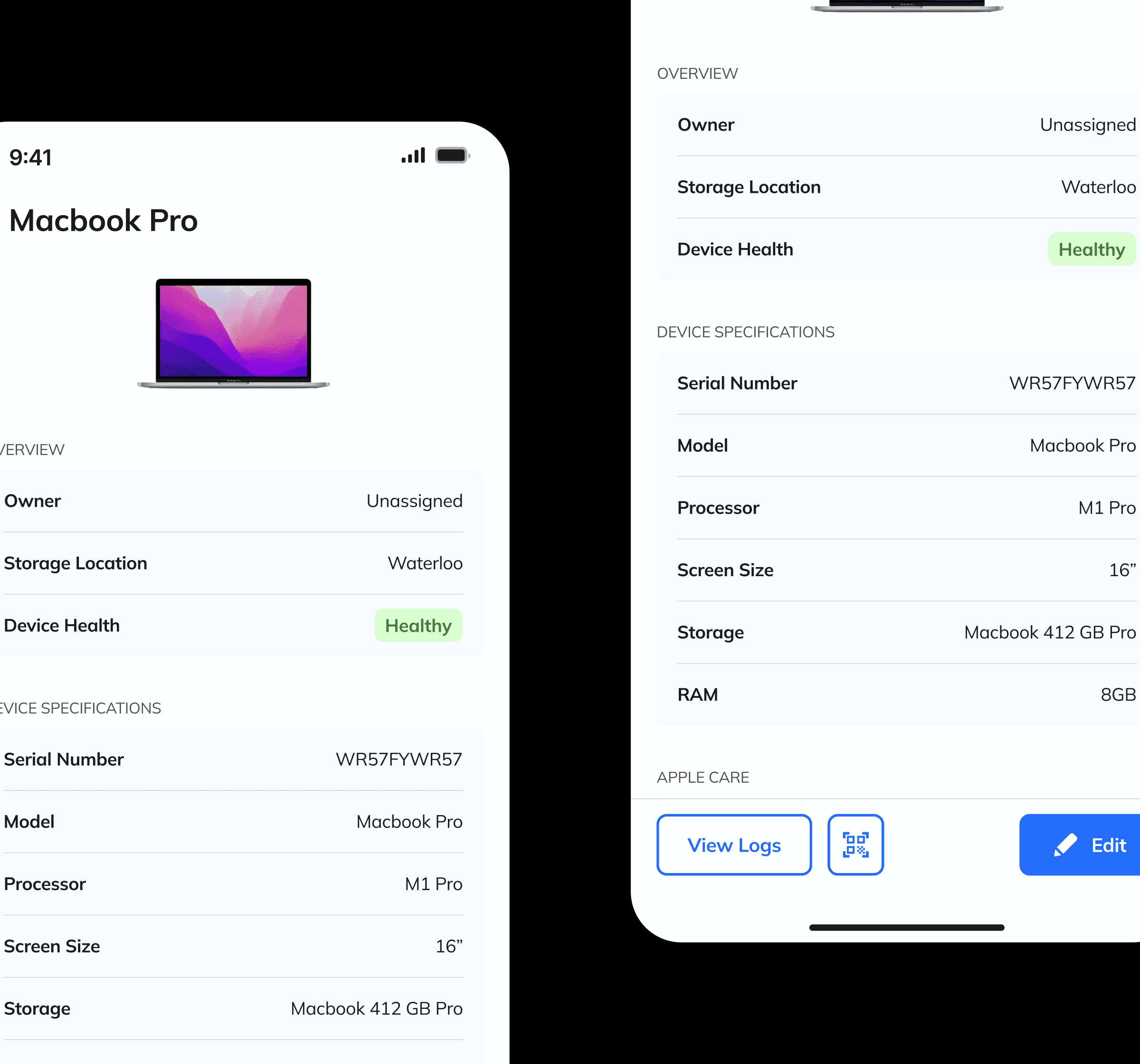
The asset profile was revamped for a cleaner look, with the most important information grouped at the top based on research and a new persistent bottom bar providing quick access to the actions users perform most.
Before

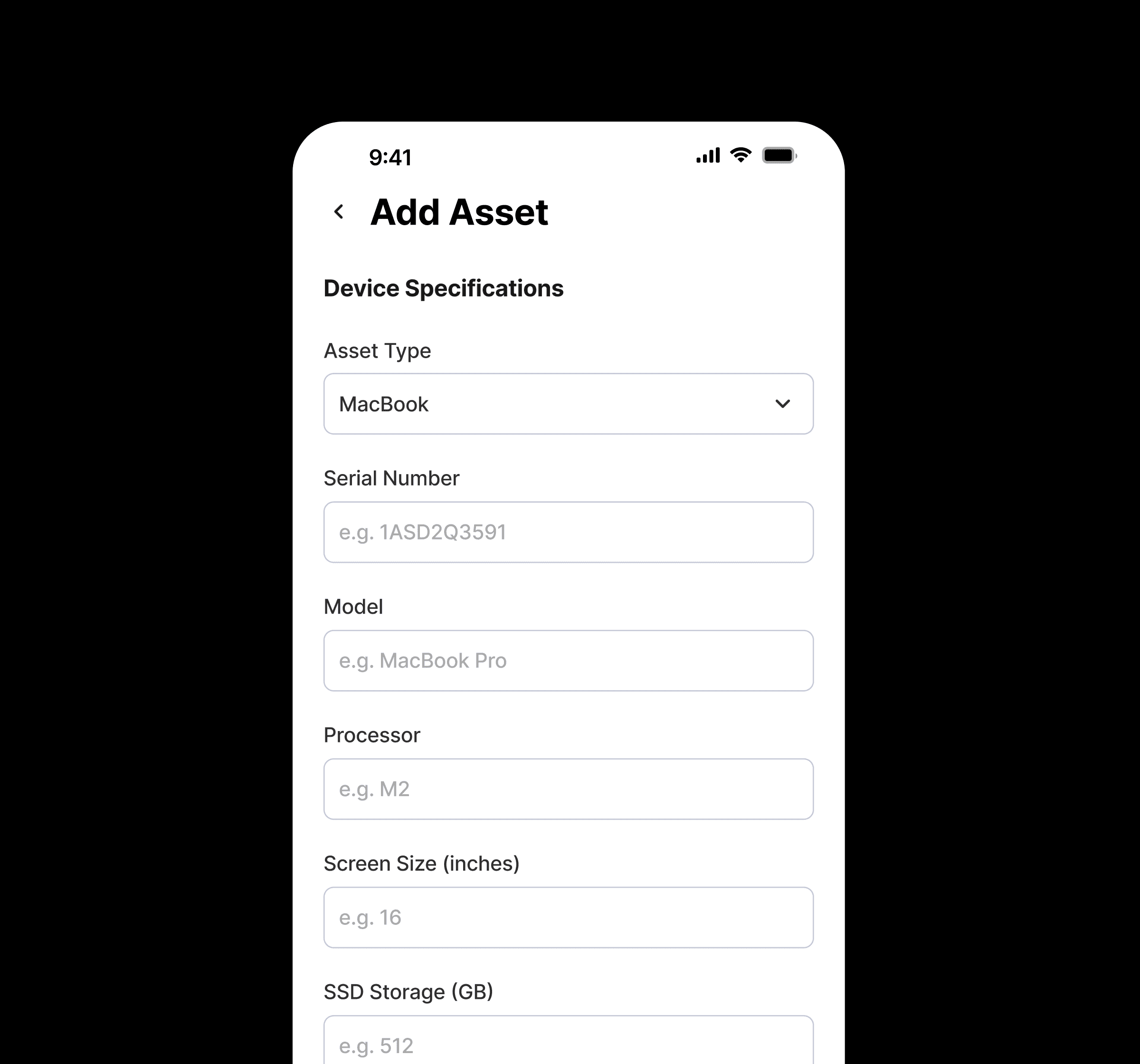
Adding items felt cumbersome, requiring users to fill out multiple pieces of information at once using a variety of input methods.

After

Asset entry was broken into steps, grouping fields by relevance and requiring only essential information upfront. Less critical details can be added later, and all inputs were converted into systemized cards.

Thanks for visiting my portfolio!

Best viewed on desktop.

© 2026 Chris Pan.

Thanks for visiting my portfolio!

Best viewed on desktop.

© 2026 Chris Pan.